When a company grows and starts having several employees, the moment comes when storing everything on each person's computer stops working. Files get duplicated, no one knows which version is correct, and when someone goes on holiday their data becomes inaccessible. The solution is a server — but choosing the right one without technical knowledge can be difficult. This guide is designed for that.
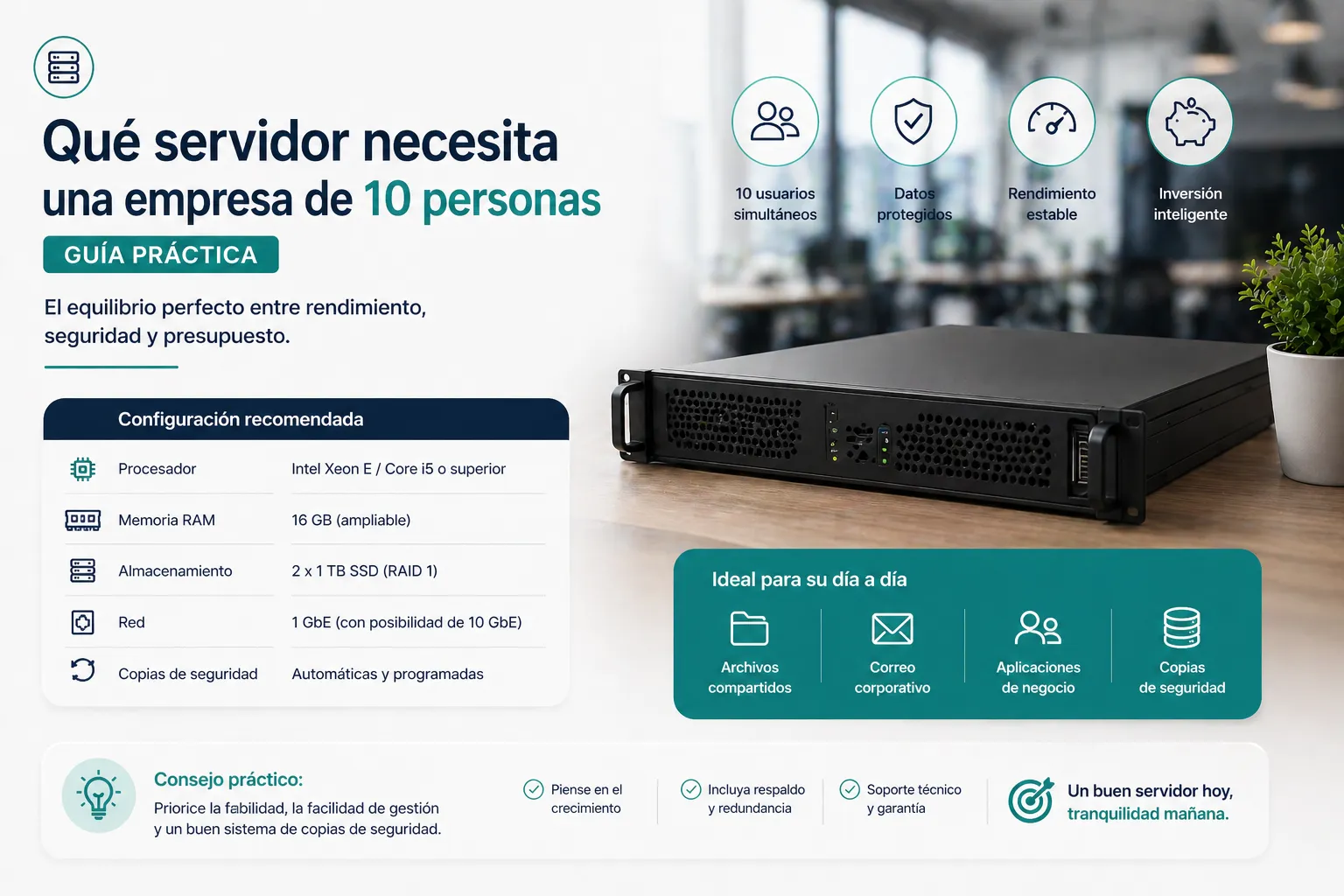
What does a server do for a small business?
A server is essentially a centralised computer that stores the company's files and makes them accessible to all employees from their own machines. It can also manage access — who can see what — and make automatic backups.
For a 10-person company, the most common uses are:
- Shared storage of documents, quotes, contracts and plans
- User and network password management
- Automatic backups of all machines
- Shared print server
- Secure remote access for remote workers
Physical server or cloud?
This is the first important decision. There's no single answer: it depends on the type of company and its needs.
Physical server on-premise
This is the most appropriate option if your company handles sensitive data that must not leave the premises, if the internet connection is not completely reliable, or if you already have some IT infrastructure in place. The upfront cost is higher, but in the long run it tends to be more economical.
Cloud server
Ideal if your team works from different locations, if you don't want to deal with physical maintenance, or if you prefer a predictable monthly expense. Microsoft 365 Business or Google Workspace covers the basic needs of most small businesses.
What hardware do you need if you choose a physical server?
For a 10-person company with standard use — sharing files, managing users, doing backups — a mid-range server is more than enough. The parameters to consider are:
- Processor: an entry-level Intel Xeon or AMD EPYC is sufficient
- RAM: minimum 16GB, recommended 32GB if you plan to run multiple functions
- Storage: RAID disks — at least two drives that replicate each other so data isn't lost if one fails
- Operating system: Windows Server 2022 or 2025 for Windows-centric environments, or Linux for greater control and lower licence costs
How much does it cost?
A physical server suitable for a 10-person company costs between €2,000 and €5,000 in hardware, plus installation, configuration and licences. That may seem like a lot, but it's an investment that lasts 5 to 8 years and eliminates day-to-day problems that cost time and money every week.
What about maintenance?
A well-configured server requires no constant attention. It is important to have an annual maintenance plan: updates, backup reviews, monitoring disk health — and support to call if something fails. This is exactly the type of service we offer at EstructuraBit.
If you're weighing up whether a server makes sense for your business or want to know what the best option is for your specific case, contact us and we'll advise you with no obligation.
Back to blog