When a company needs to centralise its data and stop depending on individual employees' computers, three options appear on the table: a NAS, a physical server or a cloud solution. All three work. The key is knowing which one best fits your company's size, budget and real needs.
What is a NAS?
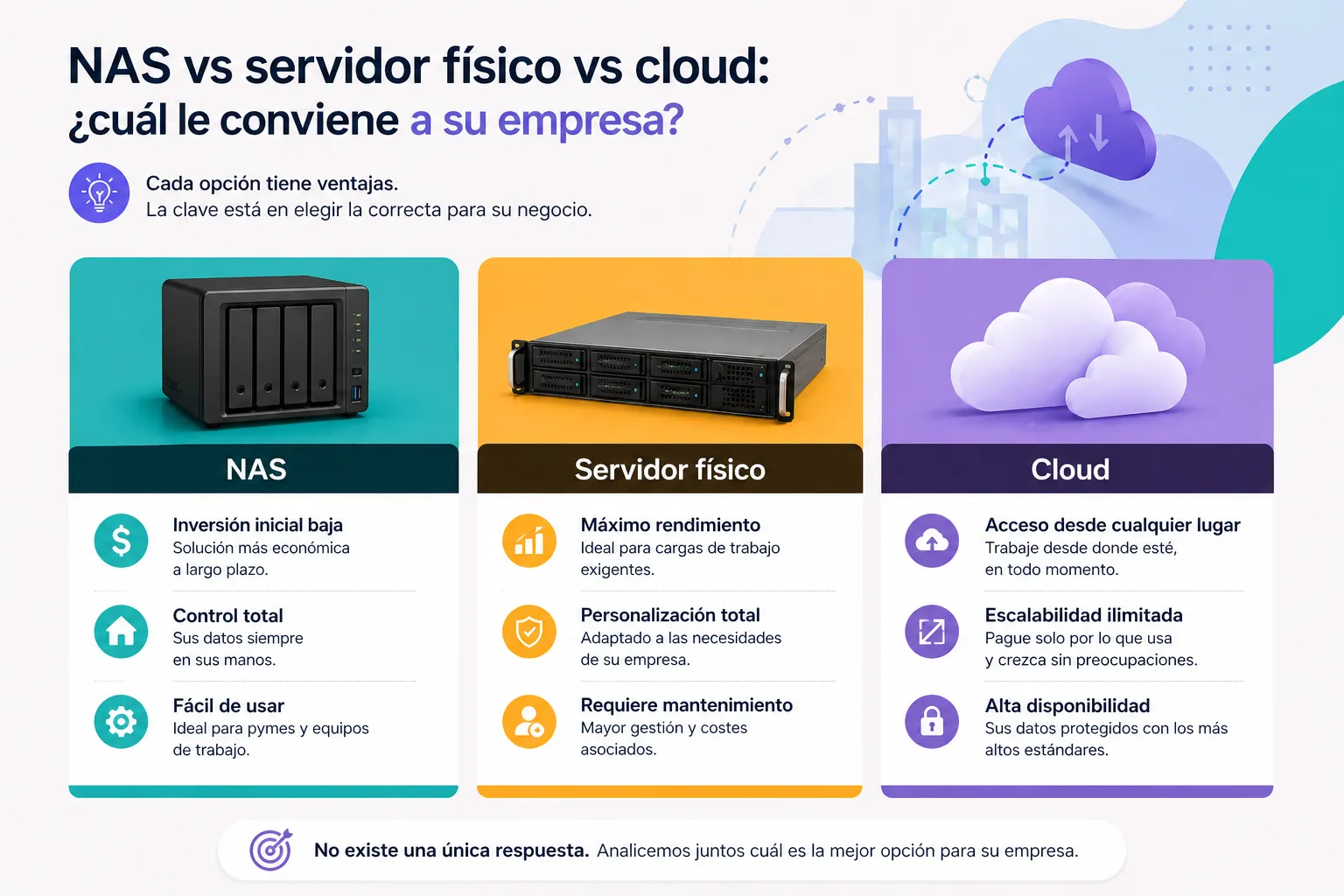
A NAS (Network Attached Storage) is essentially a hard drive connected to the office network. All the company's computers can access it and save or read files. It is the simplest and most economical option.
When it makes sense: companies of 2 to 5 people who need to share files in the office and run automatic backups. It requires no technical knowledge to set up and the entry price is between €300 and €800.
Its limitations: it doesn't manage users in any advanced way, it's not easily accessible from outside the office without additional configuration, and it doesn't scale well beyond a small team.
What is a physical server?
A physical server is a powerful computer installed in the office that centralises not only storage but also user management, access policies, backups and other services. It usually runs Windows Server or Linux.
When it makes sense: companies of 5 to 50 people who need centralised control, user or department-level permission management, and data that must not leave their premises. It is the most robust option and long-term the most economical.
Its limitations: it requires a higher initial investment — between €2,000 and €8,000 depending on requirements — and needs periodic technical maintenance.
What is the cloud?
Cloud solutions such as Microsoft 365, Google Workspace or Dropbox Business allow files to be stored and managed on remote servers accessible from any internet-connected device. They require no proprietary hardware or physical maintenance.
When it makes sense: teams working remotely or from multiple locations, companies that prefer a predictable monthly cost without upfront investment, and businesses where mobility is a priority.
Its limitations: the monthly cost accumulates over time and can exceed that of an in-house server within a few years. Also, data is stored on third-party servers — something that can be a legal or security issue in certain sectors.
Quick comparison
- NAS: ideal for small teams, low cost, basic storage only
- Physical server: more control, more power, better long-term for medium-sized teams
- Cloud: maximum flexibility and mobility, recurring monthly cost, no maintenance
What if I need a combination?
That's perfectly common. Many companies have a physical server for critical internal data and use cloud tools for collaboration such as email, calendar and shared documents. These are not mutually exclusive options.
At EstructuraBit we assess each case and recommend the solution that best fits the budget and real needs — without selling more than necessary. If you'd like an evaluation, get in touch.
Back to blog