How many hours a week does your team spend copying orders from one system to another? Updating spreadsheets, notifying responsible parties via WhatsApp, or checking that stock is up to date? If the answer is "too many", keep reading.
The problem nobody talks about
When a company launches its online store, orders are few at first and managing them by hand seems reasonable — but there comes a point where volume grows and the manual process becomes a bottleneck: transcription errors, lost orders, outdated stock and a team spending time on repetitive tasks instead of selling.
The worst part is that this problem does not hurt all at once, it hurts little by little. Each order is five minutes. Five minutes multiplied by twenty, fifty, a hundred orders per week.
What does automating orders actually mean?
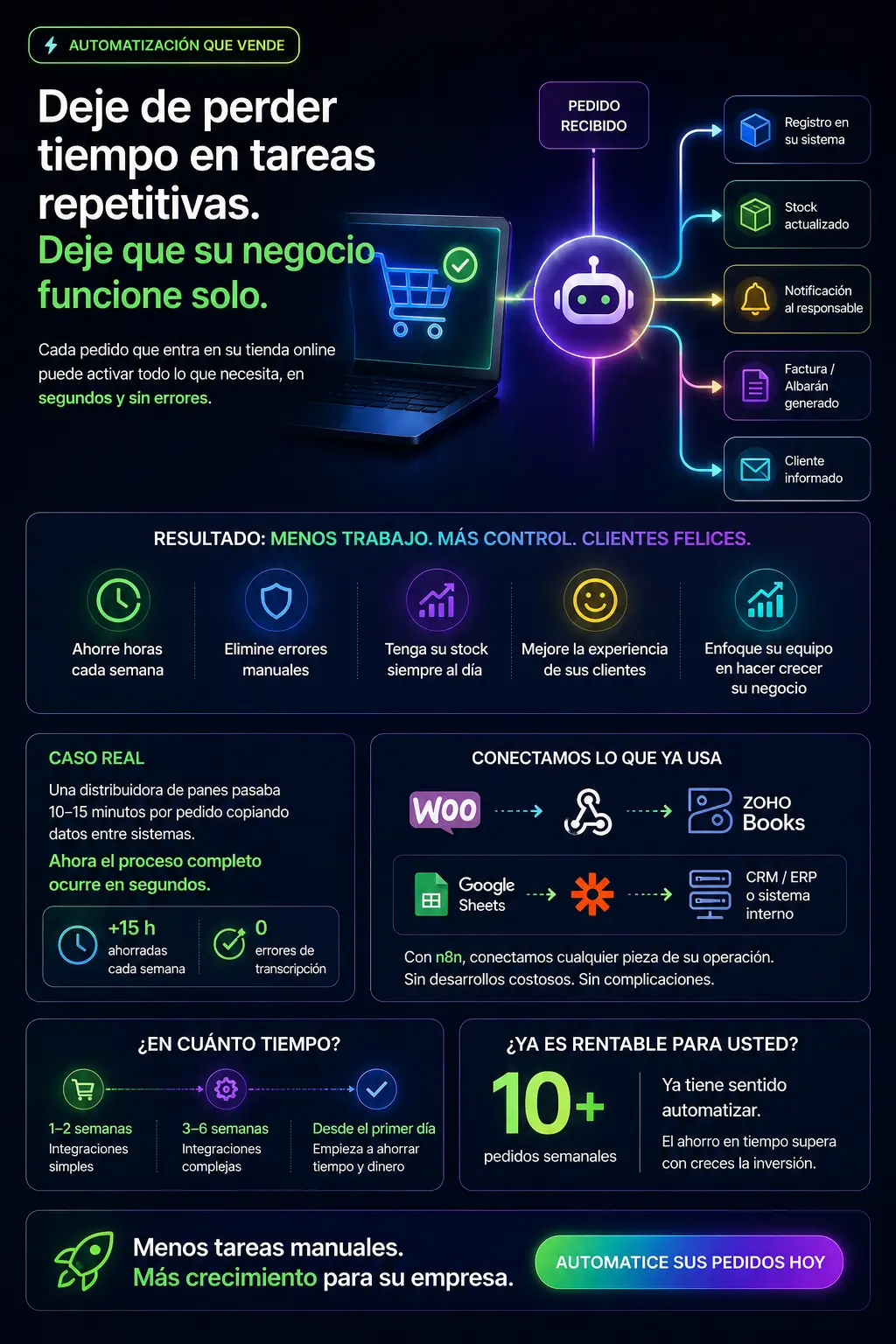
Automation does not mean replacing your team — it means that when an order arrives in your online store, everything that should happen next happens automatically, without anyone needing to intervene:
- The order is automatically recorded in your management system or ERP
- Stock is updated in real time
- The picking/warehouse manager is notified
- The corresponding invoice or delivery note is generated
- The customer receives a confirmation with the shipping details
All of this can happen in seconds, without errors and without anyone having to copy anything from one place to another.
A real example: from McLane to Zoho Books without touching anything
One of our clients, a bread distributor, received their orders through McLane (their supplier) and manually entered them into Zoho Books. Each order meant between 10 and 15 minutes of administrative work, with the constant risk of transcription errors.
After automation, the entire process happens in seconds. The team stopped touching data and was able to dedicate that time to serving customers and closing new sales.
What tools are used?
There is no need to develop custom software or invest in expensive platforms. In most cases we work with tools such as:
- n8n: workflow automation, connects virtually any system
- Zoho Books / Zoho CRM: accounting and commercial management for SMEs
- WooCommerce + webhooks: for WordPress-based stores
- Google Sheets: as an intermediate layer when there is no ERP
The key is not the tool but designing the flow well: understanding what happens today, what should happen automatically, and which decisions still need a person.
How long does implementation take?
It depends on the complexity of the systems you already have. For simple projects — an online store connected to a spreadsheet or an accounting system — we are talking one to two weeks. For more complex integrations with ERP or multiple warehouses, between three and six weeks.
What is consistent is the result: from the first day of operation, the time previously spent on manual management disappears.
Is it worth it for your business?
If your company processes more than 10 orders per week manually, automation already makes economic sense. The time saved far exceeds the implementation cost within a few months.
And if you process fewer but want to prepare your operation to grow without management becoming a constraint, it is better to do it before volume becomes a problem.
At EstructuraBit we help SMEs automate their processes without technical complications. If you want to find out whether your case has a solution, write to us and we will reply within 24 hours.
Back to blog